SDDC: Passive node failure scenario
Learn about a scenario where a node fails in the passive side of an SDDC setup with Exasol.
Introduction
A passive node is any node that is not actively running a database and which is only holding redundant copies of the storage segments. In the example cluster used in this documentation, nodes n23 to n34 in data center 2 (DC 2) are passive nodes.
Because there is no active, running database on a passive node, data segments are not automatically moved in case of a node failure. This means that there is no difference between a transient or persistent failure of a passive node.
To learn about transient and persistent active node failures, see SDDC: Active node failure scenarios.
Example cluster setup
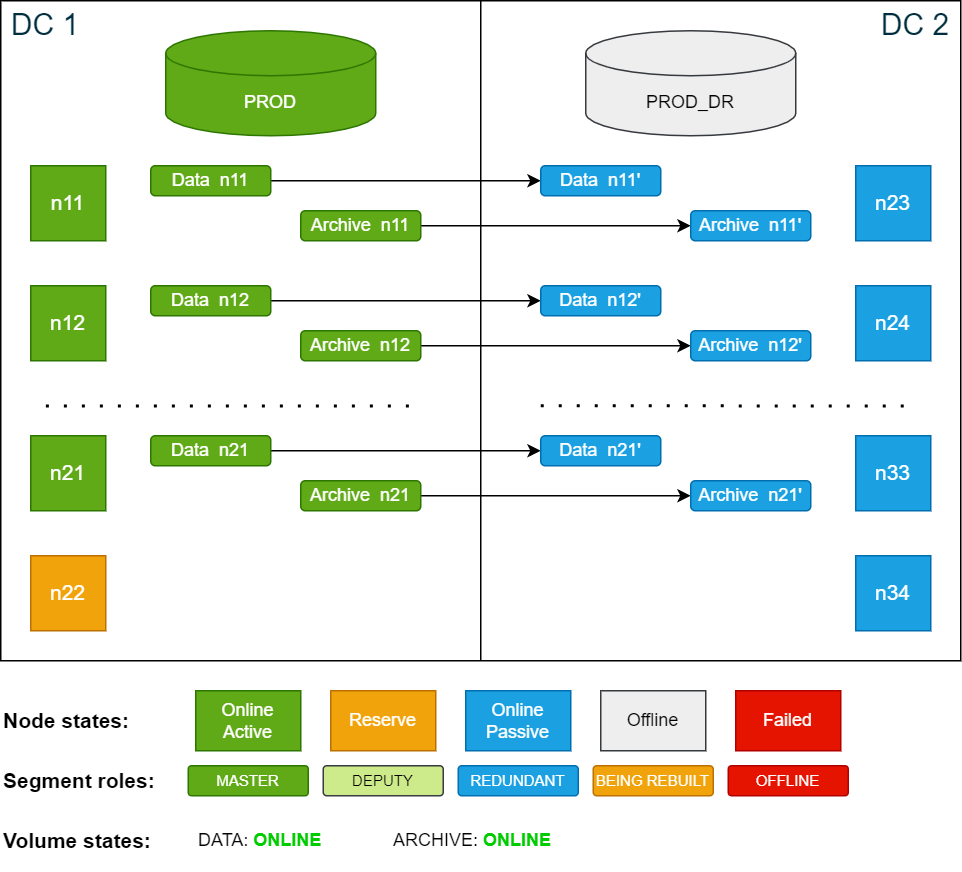
All the scenarios in this documentation are based on the example cluster configuration in SDDC: Installation. The following diagram shows the example cluster in its normal operation mode:
For simplicity, the diagrams in the examples show only 4 nodes in each data center.
Passive node failure
If a passive node fails, both the data volume and the archive volume will be in DEGRADED state because there is no redundancy.
The database remains running during a passive node failure. However, while the cluster is healing and recovering from the node failure, some cluster-coordinated operations may be temporarily delayed until recovery is complete.
Cluster state if the passive node n24 fails:
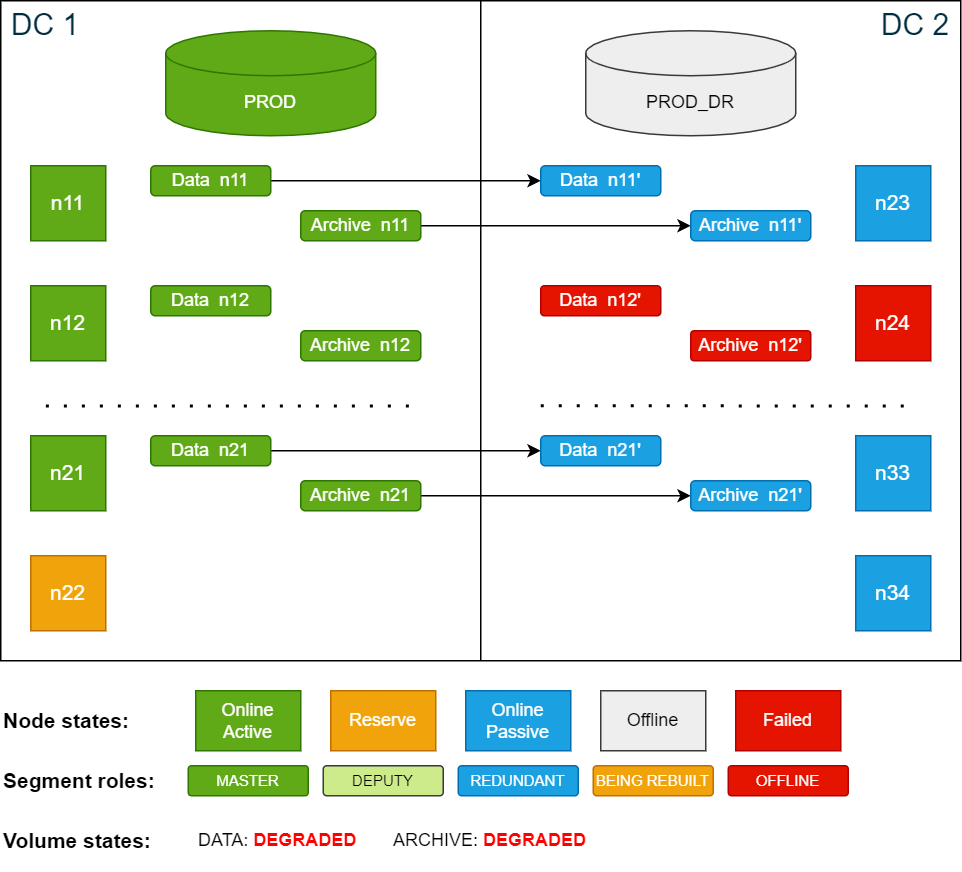
In this state, an additional node failure in the active site (for example n12) would bring the database down as there is no redundancy segment in place.
If the failed node comes online again the redundancy is automatically restored. If the node does not come back online, the redundant segments for both the data and archive volumes must be restored on the reserve node on the passive side.
To restore the missing segments on both volumes, use the ConfD job st_volume_move_node:
confd_client st_volume_move_node vname: data_vol src_nodes: '[24]' dst_nodes: '[34]'
confd_client st_volume_move_node vname: arc_vol src_nodes: '[24]' dst_nodes: '[34]'
Cluster state while redundant segments are restored from master segments:
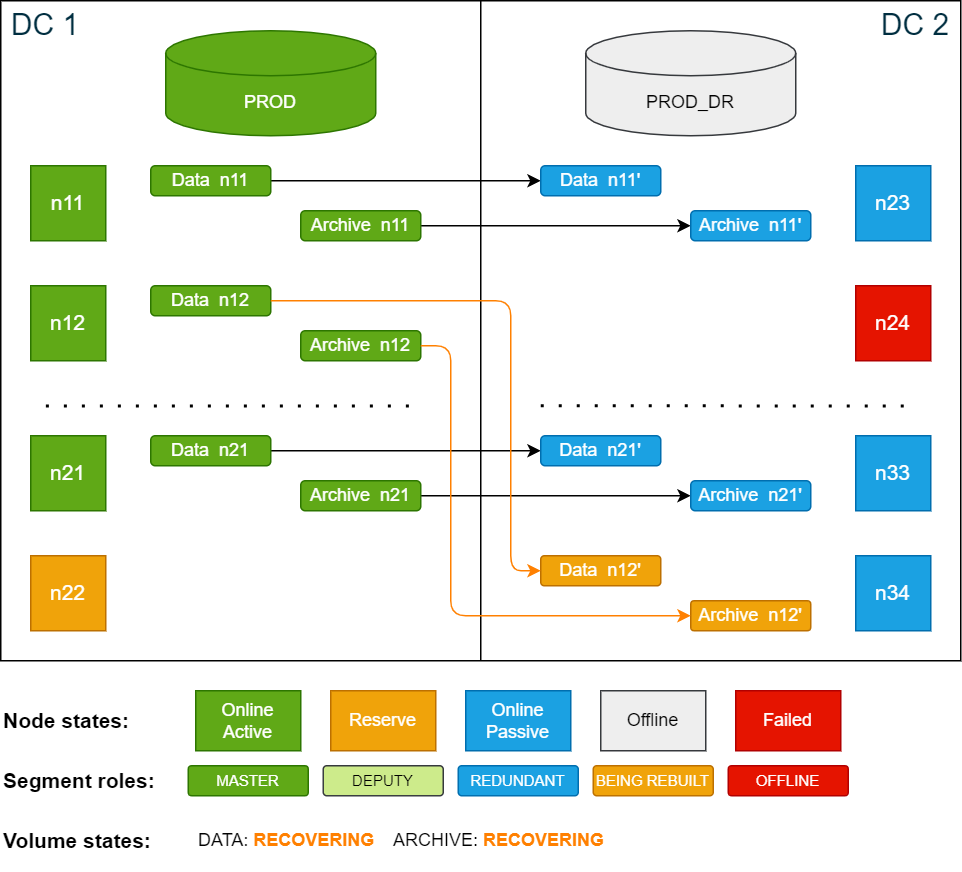
Once the redundant segments have been restored, the volumes will be in ONLINE state. The SDDC cluster is now fully operational and can handle disaster recovery scenarios again.
Cluster state after redundancy has been restored:
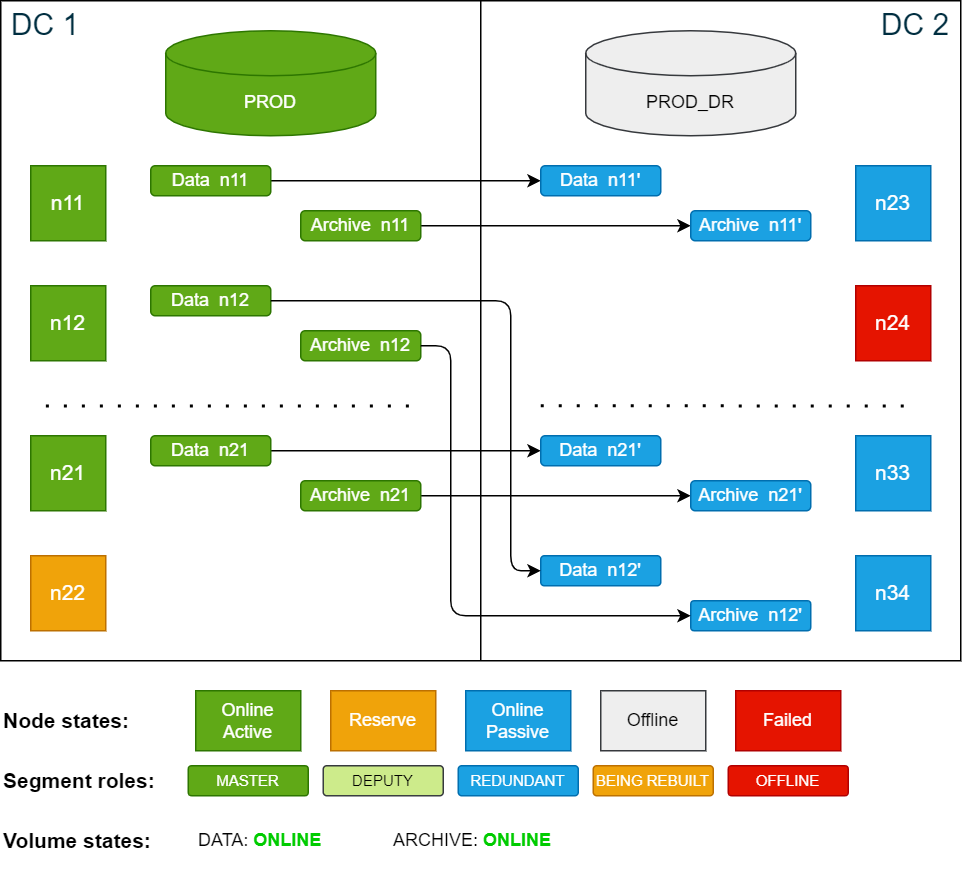
Once the failed node is repaired and put online again, it is automatically added to the cluster as a passive node. If desired, you can now move the data segments back to n24 to restore the original configuration.
This action is optional and does not affect the functionality of the SDDC cluster.
To move the data segments back to n24, use the ConfD job st_volume_move_node:
confd_client st_volume_move_node vname: data_vol src_nodes: '[34]' dst_nodes: '[24]'
confd_client st_volume_move_node vname: arc_vol src_nodes: '[34]' dst_nodes: '[24]'
While the segments are being restored, the cluster cannot switch to the passive side.
After all segments have been restored, the cluster will be back in its original state.
