Download Database Statistics
You can use EXAoperation to collect and download database statistics such as, dbsize, dbusage, monitor, profiling, sqls, stats_version, systemevents, and table_stats.
Do the following to download the statistics:
- Log in to EXAoperation user interface.
- Click the database instance in Services > EXASolution.
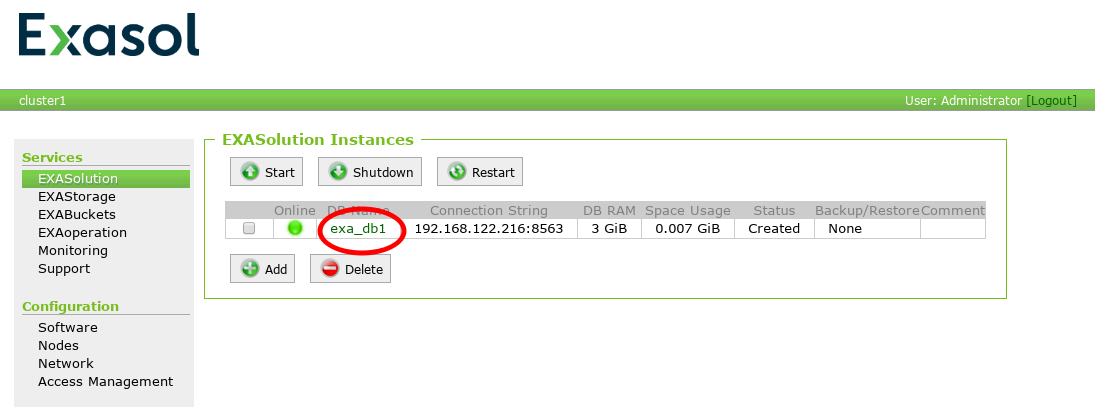
The database should be online for statistics collection.
- On the EXASolution Instance page, click Statistics button.
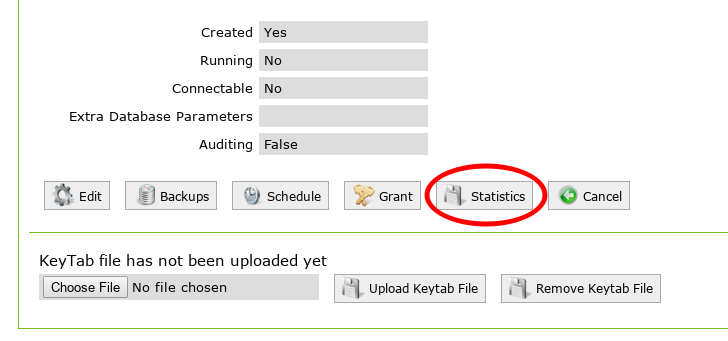
- Enter the following information on the Download Statistics page:
- Database user credentials: Enter the user name and password for the database user.
- Time Interval: Select the duration for the statistics. You can choose current and previous month, or a custom date range.
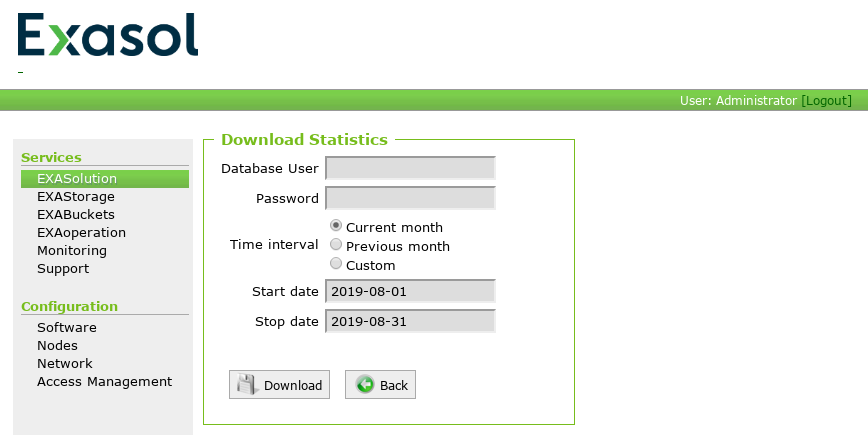
- Click Download button.
The statistics will be downloaded as a zip file with all stats as CSV files.