Configure smart caching in Lakehouse Turbo (SaaS)
Learn how to configure smart caching (replication) in Lakehouse Turbo.
This article describes Lakehouse Turbo in Exasol Saas. To learn how to use Lakehouse Turbo in an as-application deployment of Exasol, see Lakehouse Turbo.
Prerequisites
Lakehouse Turbo must be activated for the database and connected to a catalog in your data lakehouse. To learn how to sign up and get started, see Get started with Lakehouse Turbo in Exasol SaaS.
Configure replication
-
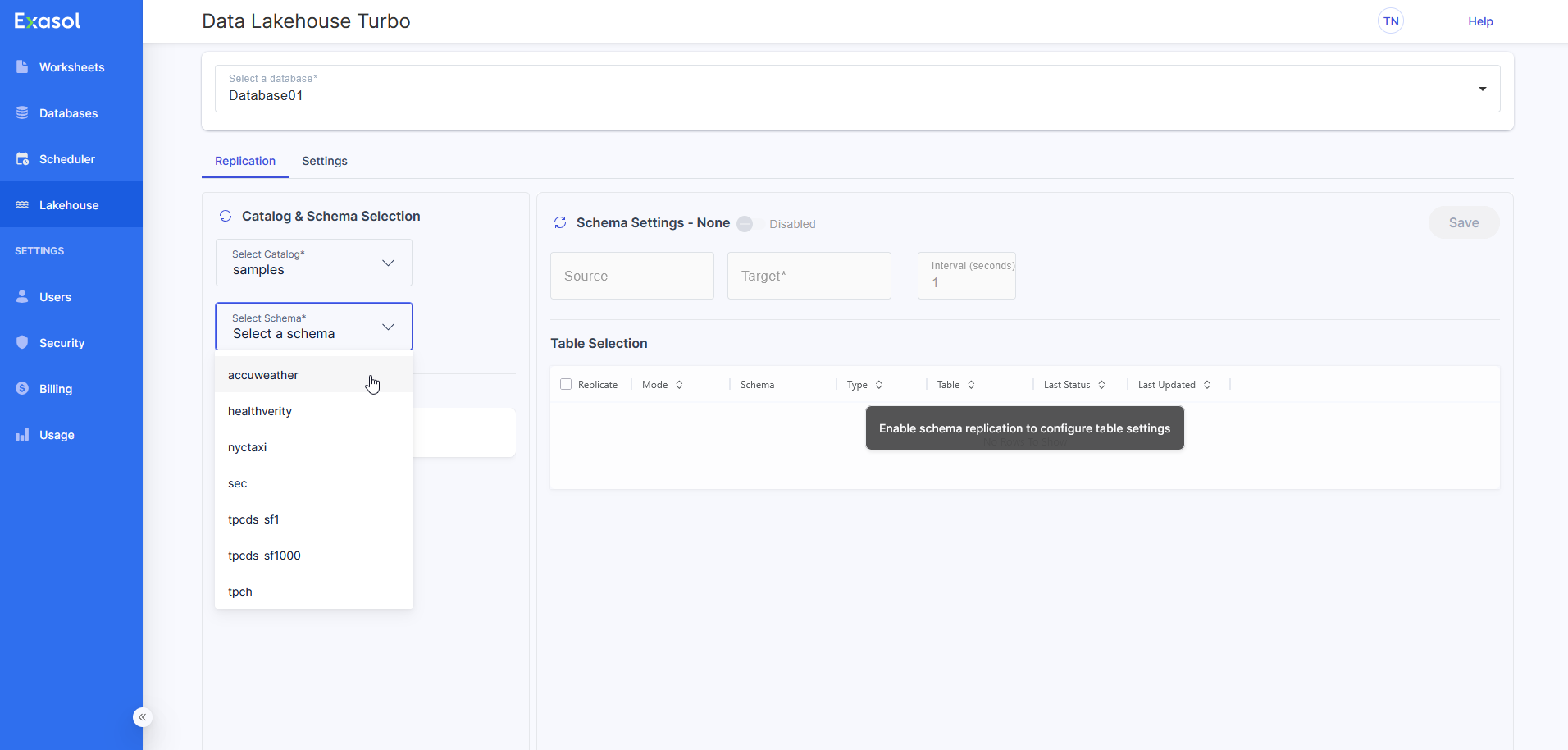
In Exasol Admin, go to Lakehouse > Replication and select the catalog and schema to accelerate:
-
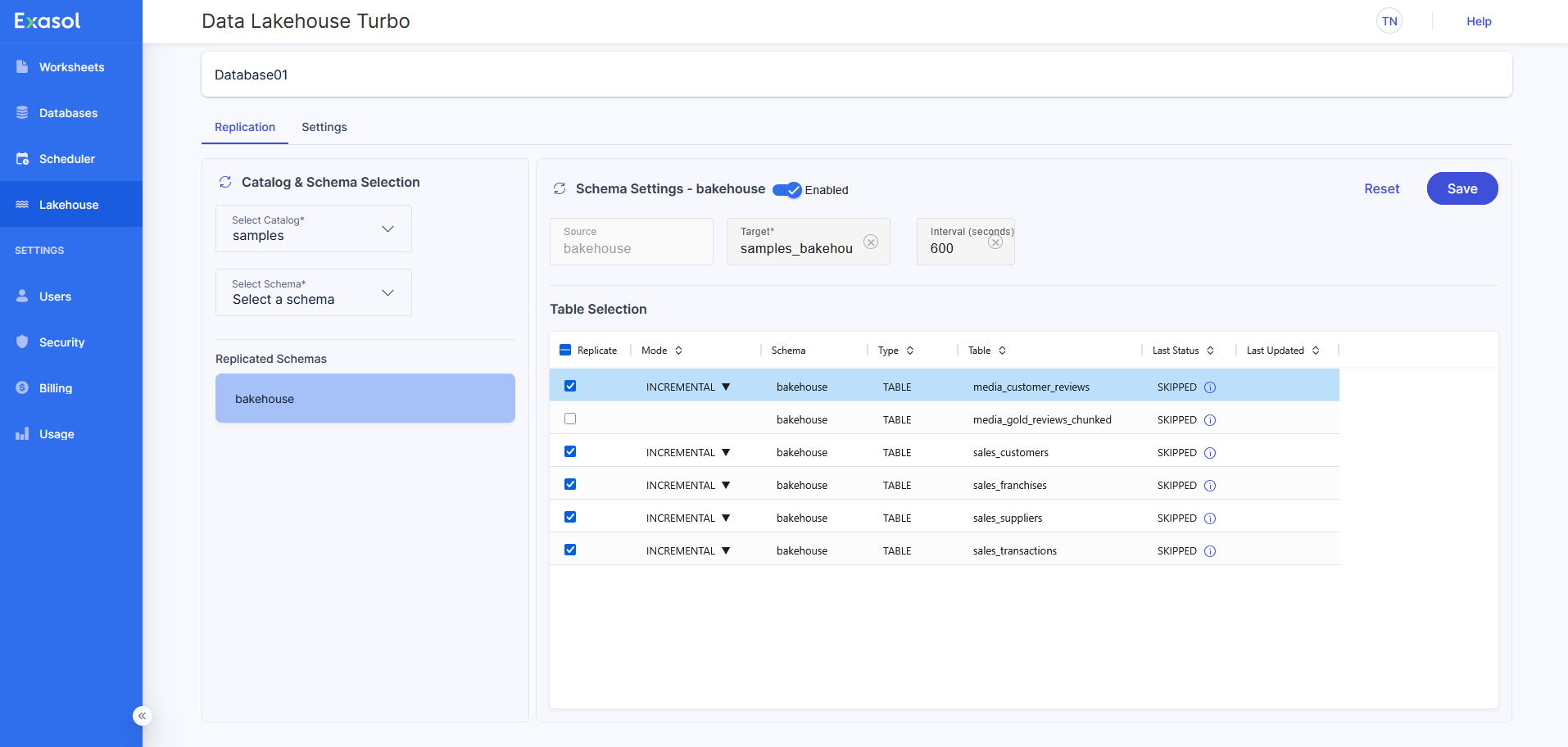
Click on the Disabled/Enabled switch to enable the schema, then select the tables you want to replicate.
-
Configure the cache retention Interval and caching Mode.
The Interval is defined on the schema level. It defines the interval in seconds between two cache invalidations. If, for example, the interval is set to 60, the cache will be invalidated every minute.
The Mode column defines the caching strategy on the table level.
-
INCREMENTAL (default) = The table is cached incrementally - only new, updated or removed data since the load is cached.
-
FULL LOAD = The table is truncated before caching. Afterwards, all available data is cached. This mode is recommended for data marts that are overwritten on a regular basis.
-
-
To save the schema settings and start replication of the schema, click on Save.
Monitor caching status
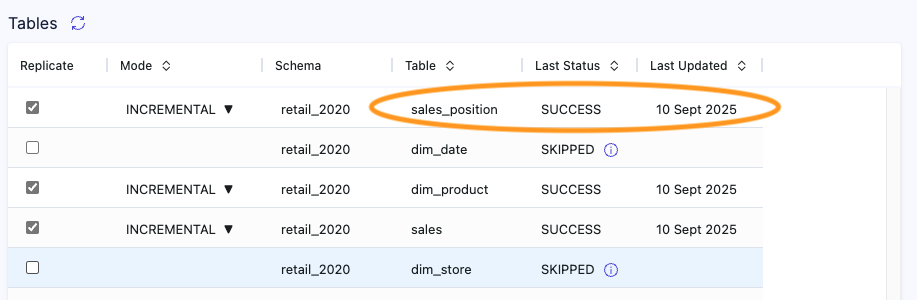
The caching status of each table can be found in the tabular overview on schema level.
Example:
Additionally, Lakehouse Turbo keeps track of all caching activities in the table exa_dlhc.replication_log. To view the caching activities sorted by execution time descending, execute the following query:
SELECT * FROM exa_dlhc.replication_log
ORDER BY event_ts DESC;